Access 2003

Microsoft Access 2003 Language Reference [Access 2003 VBA Language Reference]

This reference contains conceptual overviews, programming tasks, samples, and references to guide you in developing solutions based on Microsoft Access. The reference contains the following sections: What’s New: Provides a list of new members by object and in alphabetical order. Concepts: Provides important concepts for developing custom Access solutions. Reference: Provides reference materials for the Access…


Access IIf() function to SQL Server equivalent

What is the SQL Server equivalent to Access IIf() function? Access SQL IIf([ResultValue]>=1, [Result Value], Null) SQL Server CASE WHEN [Result Value]>=1 THEN [Result Value] ELSE NULL END

IS NULL: Understanding and Using the Null Value in Microsoft Access

In Microsoft Access, a null value is a value that is not assigned or unknown. When working with databases, it’s important to understand how to use and identify null values in order to ensure accurate and efficient data management. The IS NULL operator is one of the most useful tools for working with null values…

Access NZ() function to SQL Server equivalent

What is the SQL Server equivalent to Access NZ() function? Access SQL NZ([Event Timestamp]) SQL Server Equivalent COALESCE([Event Timestamp],0) ISNULL([Event Timestamp],0) * do not confuse this with the Access isnull() function.

Use TryGet pattern for transient values

A number of objects may have extra properties or something where it might not exist for all instances. A good example might be finding Controlsource property on an Access.Control variable: For Each ctl In Me.Controls Debug.Print ctl.ControlSource ‘A potential error Next Not all controls have a ControlSource property and thus can fail to run. A…

“Too Few Parameters” error fix

Symptoms Whenever you run a SQL statement you get a “Too Few Parameters, expected X.” Cause Most common cause is misspelling or missing fields in the SQL statement. Resolution Check the SQL statement. If necessary, copy and paste to an Access query and test in the query to get it to highlight which part of…

Access UPDATE query to SQL Server

How do I convert an Access UPDATE query to SQL Server? Access SQL UPDATE Cars INNER JOIN UpdateList ON Cars.Parts = UpdateList.Parts SET Cars.Price = [Updatelist].[price] SQL Server UPDATE Cars SET Cars.Price = [Updatelist].[price] FROM Cars INNER JOIN UpdateList ON Cars.Parts = UpdateList.Parts

MODULE LEVEL VARIABLES

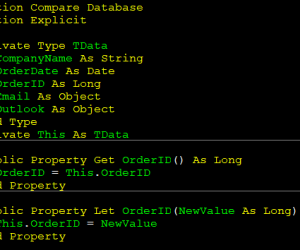
Module level variables

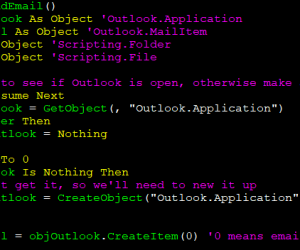
It is common to create a big wall of declaration in a module such as this: Private strCompanyName As String Private dteOrderDate As Date Private lngOrderID As Long Private objEmail As Object Private objOutlook As Object While the code will compile and work fine, the discoverability and naming of the module level variables does become…

Self-documenting code

Strong preference should be given to writing code that is self-documenting. A common approach is to write a lot of comments, but the problem with comments are twofold: It actually can harm the readability because it adds to the overall length of code to read and understand. It must be correct or it can end…